Shadow DOM Testing: Conquering Web Components in Modern Automation
Why your selectors fail on modern web components and how to pierce the shadow boundary with confidence
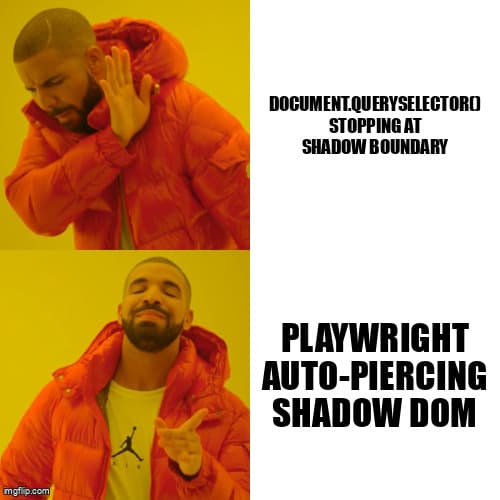
You've written the perfect selector. It works in the browser console. It works in DevTools. But when you run your automated test, it returns null. Welcome to Shadow DOM—the invisible boundary that makes web components encapsulated, secure, and absolutely frustrating to test.
If you're working with modern frameworks like Salesforce Lightning, SAP UI5, Shoelace, or any Lit-based component library, you've already encountered Shadow DOM. Traditional CSS selectors stop at the shadow boundary. Your test automation framework can't see inside. This isn't a bug—it's by design.
This guide shows you exactly how to pierce Shadow DOM boundaries in Playwright, Selenium 4, and Cypress, with production-ready patterns you can use immediately.
Understanding the Shadow Boundary
Shadow DOM creates encapsulation by attaching a shadow root to an element. Everything inside that shadow root is isolated from the main document. This means:
- CSS selectors from the outer document can't target shadow DOM children
- JavaScript queries like
document.querySelector()stop at the shadow boundary - IDs inside shadow trees don't conflict with IDs in the light DOM
- Styles defined inside the shadow tree don't leak out (and vice versa)
Here's what a typical web component looks like in the DOM:
<custom-dropdown>
  #shadow-root (open)
    <div class="dropdown-container">
      <button class="dropdown-trigger">Select Option</button>
      <ul class="dropdown-menu">
        <li class="dropdown-item">Option 1</li>
        <li class="dropdown-item">Option 2</li>
      </ul>
    </div>
</custom-dropdown>
Your test framework sees <custom-dropdown>, but can't access .dropdown-trigger with a normal selector. You need to pierce the shadow root first.
Shadow DOM in Playwright: Deep Piercing Built-In
Playwright handles Shadow DOM better than any other framework. Its selectors automatically pierce shadow roots when using CSS or text selectors. No special syntax required in most cases.
Automatic Shadow Piercing
// This just works - Playwright pierces shadow DOM automatically
await page.locator('custom-dropdown button.dropdown-trigger').click();

// Text selectors also pierce automatically
await page.locator('text=Option 1').click();

// Chain through multiple shadow roots
await page.locator('outer-component inner-component .target-element').click();
Explicit Shadow Root Traversal
When you need fine-grained control or want to make shadow piercing explicit for code readability:
// Explicit piercing with >> (deep combinator)
await page.locator('custom-dropdown >> button.dropdown-trigger').click();

// Get shadow root element handle for complex interactions
const dropdown = await page.locator('custom-dropdown');
const shadowRoot = await dropdown.evaluateHandle(el => el.shadowRoot);
const button = await shadowRoot.$('button.dropdown-trigger');
await button.click();

// Production pattern: Wait for shadow element with retry logic
async function clickShadowElement(page, host, selector, options = {}) {
  const { timeout = 30000, retries = 3 } = options;

  for (let i = 0; i < retries; i++) {
    try {
      await page.locator(`${host} >> ${selector}`)
        .click({ timeout });
      return;
    } catch (error) {
      if (i === retries - 1) throw error;
      await page.waitForTimeout(1000);
    }
  }
}

// Usage
await clickShadowElement(page, 'custom-dropdown', 'button.dropdown-trigger');
Shadow DOM in Selenium 4: New Native Support
Selenium 4 introduced native Shadow DOM support through the getShadowRoot() method. Earlier versions required JavaScript execution, but Selenium 4 makes it a first-class feature.
Basic Shadow Root Access (Selenium 4+)
from selenium import webdriver
from selenium.webdriver.common.by import By
from selenium.webdriver.support.ui import WebDriverWait
from selenium.webdriver.support import expected_conditions as EC

# Find the host element
host_element = driver.find_element(By.CSS_SELECTOR, "custom-dropdown")

# Get shadow root
shadow_root = host_element.shadow_root

# Query inside shadow DOM
button = shadow_root.find_element(By.CSS_SELECTOR, "button.dropdown-trigger")
button.click()
Nested Shadow DOM with Selenium
# Production pattern: Navigate nested shadow roots with explicit waits
def find_in_nested_shadow(driver, selectors_chain, timeout=10):
    """
    Navigate through nested shadow roots using a chain of selectors.

    Args:
        driver: WebDriver instance
        selectors_chain: List of tuples [(host_selector, inner_selector), ...]
        timeout: Wait timeout in seconds

    Returns:
        WebElement inside the deepest shadow root

    Example:
        element = find_in_nested_shadow(driver, [
            ('outer-component', 'middle-component'),
            ('middle-component', 'button.target')
        ])
    """
    wait = WebDriverWait(driver, timeout)
    current_context = driver

    for host_selector, inner_selector in selectors_chain[:-1]:
        host = wait.until(
            EC.presence_of_element_located((By.CSS_SELECTOR, host_selector))
        )
        current_context = host.shadow_root

    # Final selector
    final_host, final_inner = selectors_chain[-1]
    host = current_context.find_element(By.CSS_SELECTOR, final_host)
    return host.shadow_root.find_element(By.CSS_SELECTOR, final_inner)

# Usage with Salesforce Lightning component
login_button = find_in_nested_shadow(driver, [
    ('force-aloha-page', 'div.container'),
    ('force-login-form', 'button[type="submit"]')
])
Fallback for Selenium 3
If you're still on Selenium 3, use JavaScript execution:
# Selenium 3 workaround
def get_shadow_element(driver, host_selector, shadow_selector):
    host = driver.find_element(By.CSS_SELECTOR, host_selector)

    shadow_root = driver.execute_script(
        'return arguments[0].shadowRoot',
        host
    )

    return driver.execute_script(
        'return arguments[0].querySelector(arguments[1])',
        shadow_root,
        shadow_selector
    )

# Usage
button = get_shadow_element(driver, 'custom-dropdown', 'button.dropdown-trigger')
button.click()
Shadow DOM in Cypress: Plugin Required
Cypress doesn't have built-in Shadow DOM support, but the community plugin cypress-shadow-dom fills the gap effectively.
Setup
# Install the plugin
npm install --save-dev cypress-shadow-dom

# In cypress/support/commands.js
import 'cypress-shadow-dom';
Using the Plugin
// Basic shadow piercing
cy.get('custom-dropdown')
  .shadow()
  .find('button.dropdown-trigger')
  .click();

// Nested shadow DOM
cy.get('outer-component')
  .shadow()
  .find('inner-component')
  .shadow()
  .find('.target-element')
  .should('be.visible');

// Production pattern: Reusable custom command
Cypress.Commands.add('getShadowElement', (hostSelector, shadowSelector) => {
  return cy.get(hostSelector)
    .shadow()
    .find(shadowSelector);
});

// Usage
cy.getShadowElement('custom-dropdown', 'button.dropdown-trigger')
  .click();
Alternative: Pure Cypress Approach
If you prefer not to use plugins, implement shadow traversal with Cypress commands:
Cypress.Commands.add('shadow', { prevSubject: true }, (subject) => {
  return cy.wrap(subject).then(($el) => {
    const shadowRoot = $el[0].shadowRoot;
    if (!shadowRoot) {
      throw new Error(`Element ${$el[0].tagName} does not have a shadow root`);
    }
    return cy.wrap(shadowRoot);
  });
});

Cypress.Commands.add('shadowFind', { prevSubject: true }, (subject, selector) => {
  return cy.wrap(subject).then(($shadowRoot) => {
    const element = $shadowRoot[0].querySelector(selector);
    if (!element) {
      throw new Error(`Element not found in shadow DOM: ${selector}`);
    }
    return cy.wrap(element);
  });
});

// Usage
cy.get('custom-dropdown')
  .shadow()
  .shadowFind('button.dropdown-trigger')
  .click();
Debugging Shadow DOM: Essential DevTools Techniques
Finding the right selector path through shadow boundaries requires good debugging skills. Here are the techniques that actually work:
Chrome DevTools
- Inspect shadow roots: Right-click a shadow host element → Inspect → Expand
#shadow-rootto see internal structure - Console access:
$0.shadowRootafter selecting a shadow host in Elements panel - Deep query:
$0.shadowRoot.querySelector('.selector')to test selectors - Show user agent shadow DOM: DevTools Settings → Preferences → Elements → "Show user agent shadow DOM" reveals browser-internal shadow trees
Finding the Selector Path
// Console helper function for debugging shadow paths
function findShadowPath(element) {
  const path = [];
  let current = element;

  while (current) {
    if (current.nodeType === Node.DOCUMENT_FRAGMENT_NODE) {
      // We're in a shadow root
      path.unshift({
        type: 'shadow-root',
        host: current.host.tagName.toLowerCase()
      });
      current = current.host;
    } else if (current.parentNode) {
      // Regular DOM traversal
      const tag = current.tagName.toLowerCase();
      const classes = current.className ? `.${current.className.split(' ').join('.')}` : '';
      const id = current.id ? `#${current.id}` : '';

      path.unshift({
        type: 'element',
        selector: `${tag}${id}${classes}`
      });

      current = current.parentNode;
    } else {
      break;
    }
  }

  return path;
}

// Usage: Select element in DevTools, then run:
console.table(findShadowPath($0));
Real-World Scenarios: Component Library Examples
Salesforce Lightning Components
// Playwright
await page.locator('lightning-input[data-name="username"] >> input').fill('testuser');
await page.locator('lightning-button.login-button >> button').click();

// Selenium 4
username_host = driver.find_element(By.CSS_SELECTOR, 'lightning-input[data-name="username"]')
username_input = username_host.shadow_root.find_element(By.CSS_SELECTOR, 'input')
username_input.send_keys('testuser')

login_button_host = driver.find_element(By.CSS_SELECTOR, 'lightning-button.login-button')
login_button = login_button_host.shadow_root.find_element(By.CSS_SELECTOR, 'button')
login_button.click()
Shoelace (Web Components Library)
// Playwright - selecting from sl-select dropdown
await page.locator('sl-select[name="country"] >> .select__control').click();
await page.locator('sl-menu-item[value="spain"]').click();

// Cypress
cy.get('sl-select[name="country"]')
  .shadow()
  .find('.select__control')
  .click();

cy.get('sl-menu-item[value="spain"]').click();
SAP UI5 Web Components
// Selenium 4 - interacting with ui5-date-picker
date_picker = driver.find_element(By.CSS_SELECTOR, 'ui5-date-picker[id="birthdate"]')
date_input = date_picker.shadow_root.find_element(By.CSS_SELECTOR, 'input')
date_input.send_keys('2026-01-12')

# Open calendar popup
calendar_button = date_picker.shadow_root.find_element(By.CSS_SELECTOR, 'ui5-icon[name="appointment-2"]')
calendar_button.click()

# Select date from calendar (nested shadow DOM)
calendar = driver.find_element(By.CSS_SELECTOR, 'ui5-calendar')
day_element = calendar.shadow_root.find_element(By.CSS_SELECTOR, '[data-sap-day="15"]')
day_element.click()
Performance and Stability Considerations
Shadow DOM adds complexity to test automation. Here's how to keep tests fast and reliable:
- Prefer automatic piercing: Playwright's built-in shadow piercing is faster than manual traversal
- Cache shadow roots: If you need multiple elements from the same shadow root, get the root once and reuse it
- Wait for shadow host first: Always ensure the shadow host element exists before trying to access its shadow root
- Use stable selectors: Target semantic attributes (data-testid, role, aria-label) rather than generated class names
- Avoid deep nesting: If possible, use test IDs on shadow hosts to avoid traversing multiple shadow boundaries
Explicit Wait Pattern for Stability
// Playwright - wait for shadow element with custom condition
async function waitForShadowElement(page, hostSelector, shadowSelector, options = {}) {
  const { state = 'visible', timeout = 30000 } = options;

  await page.waitForFunction(
    ({ host, shadow, state }) => {
      const hostEl = document.querySelector(host);
      if (!hostEl?.shadowRoot) return false;

      const shadowEl = hostEl.shadowRoot.querySelector(shadow);
      if (!shadowEl) return false;

      if (state === 'visible') {
        const rect = shadowEl.getBoundingClientRect();
        return rect.width > 0 && rect.height > 0;
      }

      return true;
    },
    { host: hostSelector, shadow: shadowSelector, state },
    { timeout }
  );

  return page.locator(`${hostSelector} >> ${shadowSelector}`);
}

// Usage
const button = await waitForShadowElement(
  page,
  'custom-dropdown',
  'button.dropdown-trigger',
  { state: 'visible', timeout: 10000 }
);
await button.click();
When Shadow DOM Isn't the Problem
Not every selector failure is caused by Shadow DOM. Before blaming shadow boundaries, check:
- Dynamic content loading: Element might not exist yet (add explicit waits)
- iframes: Element might be in a different frame context (switch frames first)
- CSS visibility: Element might be hidden with
display: noneoropacity: 0 - Incorrect selector syntax: Typos happen (verify in DevTools console first)
- Stale element references: DOM might have re-rendered (re-query the element)
Key Takeaways
- Shadow DOM creates encapsulation boundaries that standard selectors can't cross
- Playwright has the best Shadow DOM support with automatic piercing and deep combinators
- Selenium 4 introduced native
getShadowRoot()eliminating the need for JavaScript execution - Cypress requires the cypress-shadow-dom plugin or custom commands for shadow traversal
- Debug shadow paths in Chrome DevTools using
$0.shadowRootand element inspection - Always wait for shadow host elements before accessing their shadow roots for stability
- Use stable selectors and test IDs on shadow hosts to avoid brittle tests
Shadow DOM isn't going away—it's the foundation of modern web component architecture. The frameworks that embrace it (Salesforce, SAP, Shoelace, Lit) deliver better encapsulation and style isolation. With the patterns in this guide, you can test shadow-heavy applications with confidence across Playwright, Selenium, and Cypress.
Need help testing complex shadow DOM scenarios in your QA automation? Desplega.ai specializes in building robust test automation frameworks for modern web applications across Spain and Europe. From Barcelona to Madrid, we help teams conquer Shadow DOM, Web Components, and other modern testing challenges.